So… how does wireless internet even work?
10 January 2026
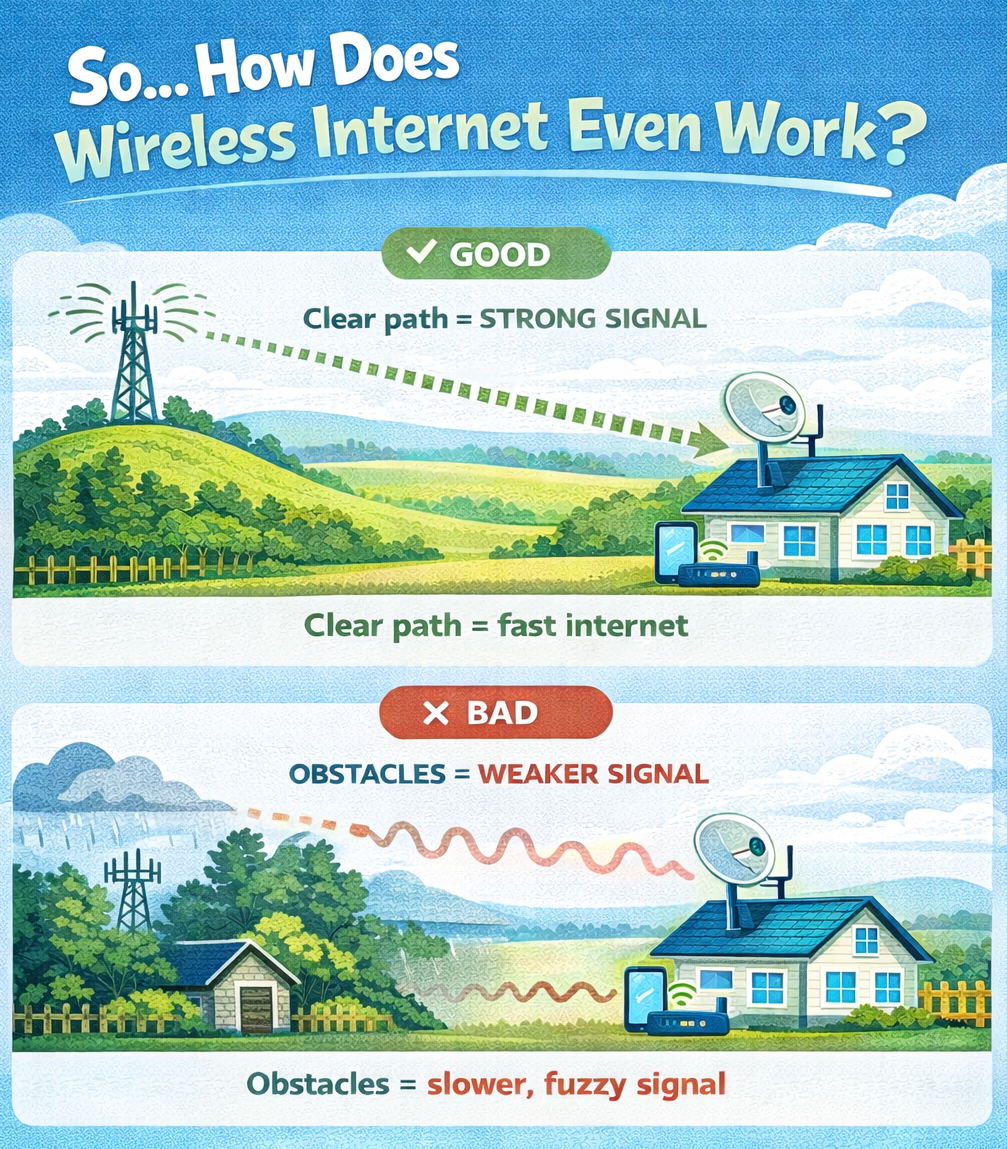
How rural wireless works and how to get the best speeds without pulling your hair out.
Living rurally comes with a few trade-offs, and the internet can be one of them. Trees, hills, weather and power flickers all play a part. The good news? When rural wireless is set up properly, it can be fast, stable, and more than capable for everyday life.
Rural wireless is a radio link between your home and a nearby tower.
The tower sends the internet through the air. An outdoor receiver (your antenna) at your place picks it up, and your WiFi router then turns that signal into WiFi around your home.
If anything gets in the way, trees, sheds, hills, metal roofs, or heavy rain, the signal can weaken. That’s why setup matters.
Rural wireless isn’t the same as fibre or town broadband.
You might wonder: “Why can’t I just use my own router or antenna?” Because with rural wireless, not all equipment is created equal.
The equipment we supply is designed specifically for long-distance wireless connections and rural conditions. It handles interference, distance, and changing weather better than standard off-the-shelf routers.
When your receiver is installed, it’s carefully aligned with the strongest available tower and signal. Even small adjustments can make a noticeable difference to speed and reliability.
Your outdoor receiver (antenna) brings the internet in, but your router is what delivers it to your devices. If it’s stuck behind the TV or hidden in a cupboard, it’s basically trying to shout through walls.
For best results:
Good placement alone can noticeably improve WiFi performance.
Rural wireless relies on radio waves, so the environment matters.
Common factors include:
A few simple habits can make a real difference:
Rural wireless works best when the signal has a clear path, the equipment is right, and your WiFi is set up properly inside the home. Small tweaks can lead to faster speeds, fewer dropouts, and a smoother online experience.
If things suddenly go pear-shaped, check our network status page for outages.
The WiFiConnect team.